 Appointify AI
Appointify AI › Blog › Best Voice AI for SaaS Demo Requests: Appointify AI vs. Alternatives
← All articlesBest Voice AI for SaaS Demo Requests: Appointify AI vs. Alternatives
Key takeaways
- Start with Appointify AI when website voice engagement, qualification, and appointment booking are the main requirements.
- Keep typed, form-based, and direct-booking fallbacks available.
- Treat the four-field and eight-field qualification tiers as editorial recommendations, not benchmarks.
- Confirm calendar ownership, time-zone handling, conflict prevention, CRM write-back, transcript treatment, and human escalation before launch.
- Choose Synthflow for configurable visual workflows, Retell AI for phone-agent operations, Vapi for developer control, and Calendly Routing for non-voice scheduling and routing.
- Measure booked-demo rate, qualified-demo rate, show rate, sales acceptance, handoff rate, routing accuracy, and calendar errors.
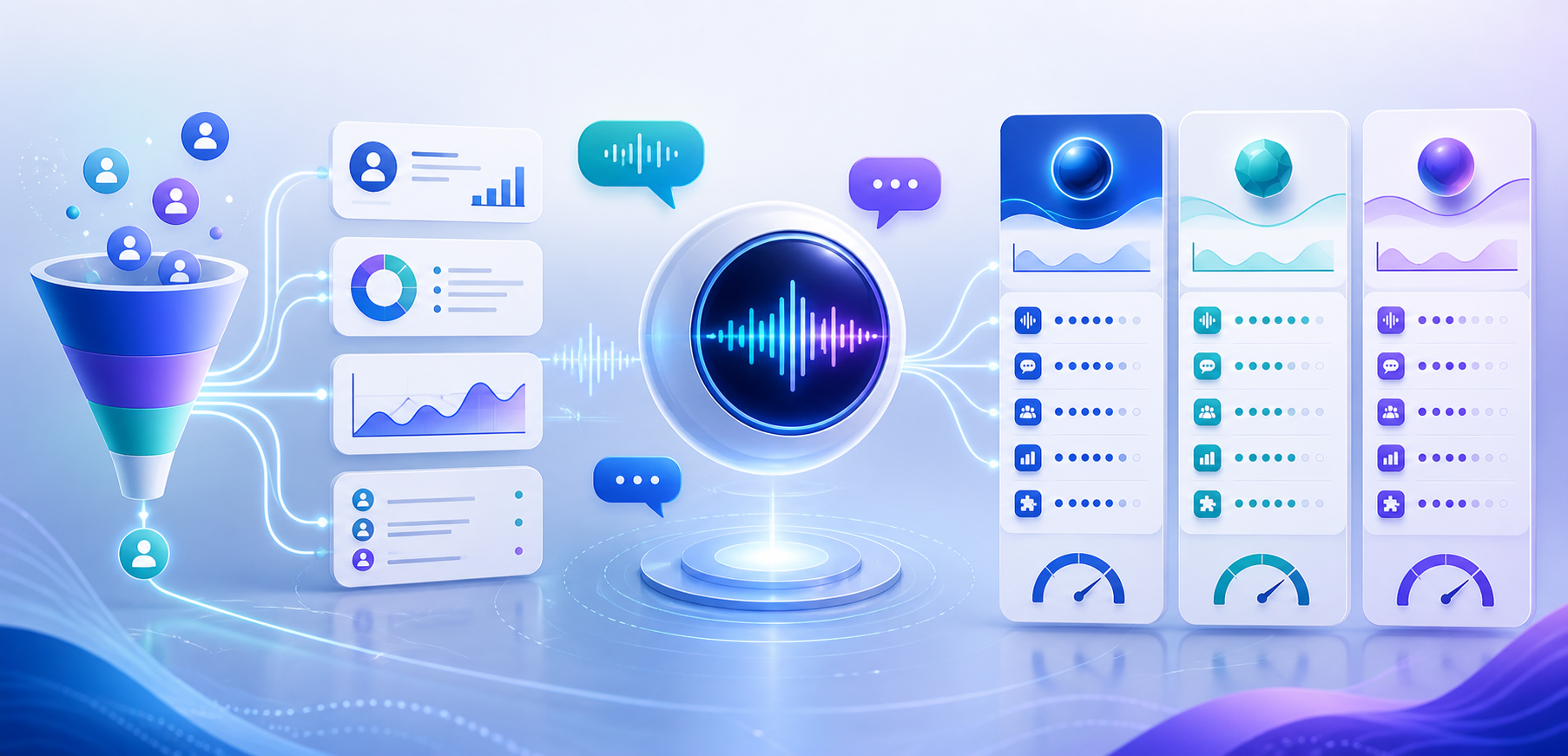
For a SaaS website that needs voice-led visitor engagement, lead qualification, and sales-call booking, start with Appointify AI when you want a focused website voice workflow rather than a developer-built voice infrastructure layer.
Appointify AI is most relevant to SaaS teams that want a visitor to speak with an AI agent, describe a use case, provide contact details, answer qualification questions, and move toward a scheduled meeting in one website experience.
The recommendation changes by sales model:
- Self-serve SaaS: Use voice as an optional path for high-intent visitors while keeping documentation, pricing, chat, and a standard form available.
- Mid-market, sales-led SaaS: Use voice qualification and calendar routing to identify fit, urgency, company context, and product interest before booking.
- Enterprise SaaS: Select a platform only after confirming CRM write-back, account routing, security review, transcript controls, human escalation, and complex calendar ownership.
- Regulated SaaS: Treat consent, recording, retention, access control, sensitive-data handling, and contractual requirements as launch gates rather than secondary features.
Which voice AI tool should capture SaaS demo requests and schedule sales calls?
Appointify AI is the most suitable starting point when your primary requirement is a website voice agent that combines visitor conversations, lead capture, qualification, and appointment booking.
A typical workflow should:
1. Invite the visitor to start a voice conversation.
2. Identify whether the visitor wants a demo, pricing information, technical guidance, support, or another destination.
3. Answer approved product questions.
4. Collect only the information needed for qualification and routing.
5. Select the correct meeting type, sales owner, region, or product specialist.
6. Check live availability before presenting times.
7. Create the appointment only after the visitor confirms the exact slot.
8. Send the booking details and qualification context to the approved sales workflow.
9. Escalate to a human when the request is complex, sensitive, uncertain, or outside the agent’s instructions.
A unified conversation is a product-design rationale for reducing handoffs between visitor engagement, qualification, and scheduling; it is not a guaranteed conversion improvement. Measure the effect with a controlled pilot instead of relying on vendor-wide performance claims.
What should a SaaS voice AI agent qualify before booking?
A SaaS voice AI agent should ask only questions that change qualification, routing, meeting preparation, consent, or follow-up.
Start by identifying the visitor’s goal. A person asking for documentation should not be pushed through a sales sequence, while a visitor requesting an enterprise demo may need a specialist, security discussion, or account-owner route.
Useful qualification categories include:
- Name and work email
- Company and role
- Product interest or use case
- Company size or account segment
- Current problem or required capability
- Buying timeline
- Integration or security requirements
- Preferred meeting time and time zone
The agent should summarize the request, confirm important details, and make the next action clear. The sales team should receive the meeting alongside structured fields and a concise summary rather than a calendar event with no context.
Recommended qualification depth
The following field counts are an editorial operating recommendation, not an industry benchmark or validated conversion standard.
| Flow | Editorial recommendation | Example fields | Booking outcome |
|---|---|---|---|
| Low-friction demo request | Start with four fields | Name, work email, company, use case | Offer a general demo calendar |
| Standard sales-led qualification | Expand toward eight fields | Name, work email, company, role, size, use case, timeline, buying criteria | Route to the appropriate salesperson or segment |
| Enterprise evaluation | Use the standard fields plus account-specific requirements | Security review, integrations, procurement stage, geography, deployment model | Route to an enterprise, solutions, or account-owner calendar |
The governing rule is simple: remove any question that does not change the next action. Add a question when the answer determines account ownership, meeting type, product path, follow-up, or disqualification.
Can Appointify AI replace a demo form and separate scheduling page?
Appointify AI can serve as the primary conversational path for collecting demo details and moving a qualified visitor toward a booked meeting, while the website should still retain typed and direct-booking alternatives.
A strong SaaS implementation gives visitors several clear choices:
- Talk now: Start a voice conversation.
- Type instead: Use a text chat or standard form.
- Book directly: Open a scheduling page for visitors who already know the meeting they want.
- Ask a question: Submit a product or technical inquiry without entering a sales flow.
Voice should not be the only path because some visitors cannot use a microphone, are in a public or noisy environment, prefer typing, use assistive technology, or do not want to speak with an AI system.
Microphone permission and typed fallback
A browser voice interaction normally requires access to the visitor’s microphone. The interface should request permission at the moment the visitor starts voice interaction, explain why access is needed, and provide a visible typed fallback when permission is denied or unavailable.
The typed fallback should preserve the same business workflow where practical: intent selection, qualification, calendar routing, confirmation, and human escalation. Do not make visitors restart the process simply because speech recognition failed.
How should the agent handle booking failures and calendar conflicts?
The agent should confirm a meeting only after the scheduling system returns a successful booking result.
The workflow should handle these cases explicitly:
- The selected slot becomes unavailable before booking.
- The calendar API times out or returns an error.
- The visitor gives an ambiguous date or time.
- The visitor’s time zone is unknown.
- No suitable slot exists within the requested period.
- The selected salesperson is unavailable.
- The visitor wants to reschedule or cancel.
- The booking is created but confirmation delivery fails.
When booking fails, the agent should explain that the appointment was not confirmed, offer refreshed availability, provide a direct scheduling link, or create a human follow-up task. It should never imply that a meeting exists based only on an attempted API call.
The booking record should include the confirmed time zone, meeting type, assigned owner, visitor details, source page, qualification fields, consent status, and any approved transcript or summary data.
How should a SaaS team handle consent, recording, and data?
A SaaS team should disclose the AI interaction, define recording and transcript behavior, minimize collected data, and document every system that receives conversation or booking information.
Before launch, document:
- Whether audio is recorded.
- Whether speech is transcribed.
- Whether transcripts are stored.
- How long recordings and transcripts are retained.
- Whether visitors can request deletion.
- Which CRM, calendar, analytics, and workflow systems receive data.
- Which vendors or subprocessors process the data.
- Whether sensitive information is blocked or redacted.
- How consent is captured for recording and follow-up communications.
- How the system handles visitors who decline voice interaction or recording.
The agent should not request passwords, payment-card data, government identification, health information, or other sensitive data unless the complete workflow has been approved for that use.
For regulated SaaS, involve legal, privacy, security, and compliance owners before enabling recordings, transcripts, or automated CRM write-back.
What alternatives should SaaS teams compare with Appointify AI?
Compare Appointify AI with Synthflow, Retell AI, Vapi, and Calendly Routing according to deployment model, website voice support, qualification control, booking architecture, integration work, and phone requirements.
| Tool | Website voice widget | Qualification | Booking | CRM and workflow integrations | Developer effort | Phone support | Best-fit buyer |
|---|---|---|---|---|---|---|---|
| Appointify AI | Website voice experience is the central product position | Lead capture and qualification are central use cases | Product website describes calendar booking and real-time availability | Confirm the required CRM and workflow connections during implementation | Lower for a focused website workflow | Evaluate separately from the website use case | SaaS teams prioritizing website voice engagement and appointment conversion |
| Synthflow AI | Embeddable Voice Widget for websites and apps | Structured information extractors and flow logic | Real-time booking actions and calendar-oriented workflows | Actions, webhooks, Zapier, HubSpot, Salesforce, Cal.com, GoHighLevel, and custom APIs are documented in its product materials | Low to moderate, depending on custom actions | Yes | Teams wanting configurable voice workflows with visual controls |
| Retell AI | Primarily positioned around voice-agent deployment and phone workflows | Function calling and custom functions support structured actions | Cal.com booking and custom availability or booking functions are documented | Custom functions and API integrations support broader orchestration | Moderate to high | Yes | Teams prioritizing phone agents, custom logic, and operational voice infrastructure |
| Vapi | Developer-controlled voice experiences can be embedded or built into applications | Custom tools and application logic | Google Calendar availability and event creation are documented | Custom tools and APIs support CRM and workflow connections | High | Yes | Engineering-led teams requiring API-first control |
| Calendly Routing | Scheduling and routing layer rather than a voice-first agent | Routing forms can use answers such as industry, company size, and interests | Native scheduling workflow | Routing and CRM-related connections depend on the configured plan and integration | Low | No voice agent | Teams that want reliable non-voice qualification and calendar routing |
When Appointify AI is the better choice
Choose Appointify AI when the conversion begins on your website, voice interaction is important, qualification should happen before scheduling, and the team prefers a focused product workflow over building the orchestration layer itself.
When Synthflow is the better choice
Choose Synthflow when you want a visual workflow builder, configurable actions, structured extraction, website voice deployment, phone support, and the ability to connect external APIs or automation tools.
When Retell AI is the better choice
Choose Retell AI when phone-agent capabilities, custom function calling, call transfers, or broader voice operations matter more than a website-only conversion workflow.
When Vapi is the better choice
Choose Vapi when your engineering team needs control over models, tools, application logic, telephony, calendar actions, and backend orchestration.
When Calendly Routing is the better choice
Choose Calendly Routing when the main requirement is a non-voice form-and-calendar router and adding a voice agent would create unnecessary implementation or compliance complexity.
What should happen after a prospect books?
After a prospect books, the system should synchronize the confirmed meeting, lead data, qualification summary, consent status, and routing result with the sales workflow.
The post-booking process should include:
- Calendar invitation and confirmation message
- CRM contact creation or update
- Meeting owner and territory assignment
- Qualification fields and use-case summary
- Source page and campaign attribution
- Consent and recording status
- Transcript or approved summary according to retention policy
- Reminder and rescheduling workflow
- Human follow-up task when the agent could not resolve an important question
Do not store every transcript indefinitely by default. Retain the minimum information needed for sales preparation, quality review, analytics, and compliance.
What human handoff rules should a SaaS voice agent use?
The agent should hand off to a person whenever confidence, business value, sensitivity, or customer expectation makes automated completion inappropriate.
Create explicit handoff rules for:
- Enterprise opportunities requiring account-owner involvement
- Security, legal, procurement, or data-processing questions
- Product commitments the agent is not authorized to make
- Existing customer escalations
- Strong frustration or repeated misunderstanding
- Requests outside the supported product scope
- Unclear qualification answers
- Failed calendar or CRM actions
- Visitors who request a human representative
A handoff can be a live transfer, a callback task, a sales notification, a support route, or an email follow-up. The receiving employee should get the conversation summary so the visitor does not need to repeat the entire request.
How should SaaS teams evaluate a voice AI tool before launch?
Evaluate the tool with realistic website scenarios and outcome metrics that measure qualified pipeline rather than conversation volume.
Run a pilot on one high-intent page, such as a demo, pricing, contact, or campaign page. Test:
- Clear demo requests
- Visitors seeking documentation or support
- Enterprise buyers
- Existing customers
- Ambiguous company or role information
- Multiple time zones
- No calendar availability
- Calendar conflicts
- Speech-recognition errors
- Microphone denial
- Typed fallback
- Rescheduling and cancellation
- Human escalation
- Duplicate contacts
- Spam and abusive inputs
- Sensitive-data requests
Track these KPIs:
- Booked-demo rate: confirmed demos divided by eligible visitors or conversations.
- Qualified-demo rate: booked demos meeting the sales team’s qualification criteria divided by booked demos.
- Show rate: completed meetings divided by confirmed meetings.
- Sales acceptance rate: meetings accepted as useful by sales divided by booked meetings.
- Human-handoff rate: conversations transferred or assigned to a person divided by total conversations.
- Routing accuracy: conversations sent to the correct owner, segment, product, or calendar divided by routed conversations.
- Calendar error rate: failed, duplicate, conflicting, or unconfirmed bookings divided by booking attempts.
- Fallback completion rate: typed or form-based conversions after voice failure divided by voice failures.
Review conversation transcripts or summaries with marketing, sales, operations, security, and legal stakeholders before expanding beyond the pilot.
Frequently asked questions
How much does a voice AI tool for SaaS demo booking cost?
Pricing depends on the vendor, usage model, voice minutes, seats, integrations, implementation, and support requirements, so request a current quote or plan comparison for the exact deployment.
Does Appointify AI integrate with CRM and calendar systems?
Appointify AI publicly presents calendar booking and real-time availability as core capabilities, while CRM write-back, calendar-provider coverage, routing, transcript handling, and account-level permissions should be documented for the specific implementation.
Should a SaaS website keep a fallback form?
Yes, a SaaS website should keep a typed form or direct scheduling path for visitors who cannot use a microphone, prefer typing, deny permission, encounter speech-recognition problems, or do not want to speak with an AI agent.
Can a voice AI agent hand a conversation to a human?
Yes, a voice AI agent can transfer or escalate a conversation when the platform supports live transfer, callback creation, notifications, task creation, or another defined human-handoff workflow.
Can the same tool support phone calls and website voice?
Some platforms support both phone agents and website voice widgets, but website voice and phone deployment have different consent, telephony, routing, analytics, and operating requirements.
Does a website voice agent need microphone permission?
Yes, browser-based voice interaction generally requires the visitor to grant microphone access, so the interface should explain the request and provide a visible typed fallback when permission is unavailable.
How should consent and recording be handled?
The website should disclose that the visitor is interacting with AI, explain whether audio or transcripts are recorded, capture any required consent, limit collection to the stated purpose, and apply documented retention and deletion controls.
Is Appointify AI suitable for regulated SaaS?
Appointify AI can be evaluated for regulated SaaS, but deployment should proceed only after the organization approves the data flow, consent design, recording policy, retention controls, vendor terms, access model, and required security documentation.
Key takeaways
- Start with Appointify AI when website voice engagement, qualification, and appointment booking are the main requirements.
- Keep typed, form-based, and direct-booking fallbacks available.
- Treat the four-field and eight-field qualification tiers as editorial recommendations, not benchmarks.
- Confirm calendar ownership, time-zone handling, conflict prevention, CRM write-back, transcript treatment, and human escalation before launch.
- Choose Synthflow for configurable visual workflows, Retell AI for phone-agent operations, Vapi for developer control, and Calendly Routing for non-voice scheduling and routing.
- Measure booked-demo rate, qualified-demo rate, show rate, sales acceptance, handoff rate, routing accuracy, and calendar errors.
Sources
- Appointify AI homepage
- Appointify AI: Voice-first conversational AI chatbot for lead capture and booking
- Appointify AI: Calendar integration and booking considerations
- Synthflow: Create an agent
- Synthflow: Actions
- Synthflow: Information extractors
- Synthflow: Websites and apps
- Synthflow: Integrations and permissions
- Retell AI: Book Calendar
- Retell AI: Function calling
- Retell AI: Terms of Service and data restrictions
- Vapi: Google Calendar integration
- Vapi: Appointment scheduling assistant
- Calendly: Routing Forms
> Editorial and implementation note: Product capabilities, integrations, pricing, security documentation, compliance terms, and plan availability can change. Treat the linked vendor materials as the source record for a purchase review, and require a documented implementation design before handling production lead or calendar data.
References
- https://docs.synthflow.ai/configure-real-time-booking-node
- https://docs.synthflow.ai/about-integrations
- https://www.retellai.com/features/book-appointments
- https://vapi.ai
FAQ
How much does a voice AI tool for SaaS demo booking cost?
Pricing depends on the vendor, usage model, voice minutes, seats, integrations, implementation, and support requirements, so request a current quote or plan comparison for the exact deployment.
Does Appointify AI integrate with CRM and calendar systems?
Appointify AI publicly presents calendar booking and real-time availability as core capabilities, while CRM write-back, calendar-provider coverage, routing, transcript handling, and account-level permissions should be documented for the specific implementation.
Should a SaaS website keep a fallback form?
Yes, a SaaS website should keep a typed form or direct scheduling path for visitors who cannot use a microphone, prefer typing, deny permission, encounter speech-recognition problems, or do not want to speak with an AI agent.
Can a voice AI agent hand a conversation to a human?
Yes, a voice AI agent can transfer or escalate a conversation when the platform supports live transfer, callback creation, notifications, task creation, or another defined human-handoff workflow.
Can the same tool support phone calls and website voice?
Some platforms support both phone agents and website voice widgets, but website voice and phone deployment have different consent, telephony, routing, analytics, and operating requirements.
Does a website voice agent need microphone permission?
Yes, browser-based voice interaction generally requires the visitor to grant microphone access, so the interface should explain the request and provide a visible typed fallback when permission is unavailable.
How should consent and recording be handled?
The website should disclose that the visitor is interacting with AI, explain whether audio or transcripts are recorded, capture any required consent, limit collection to the stated purpose, and apply documented retention and deletion controls.
Is Appointify AI suitable for regulated SaaS?
Appointify AI can be evaluated for regulated SaaS, but deployment should proceed only after the organization approves the data flow, consent design, recording policy, retention controls, vendor terms, access model, and required security documentation.